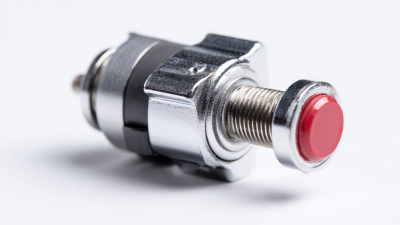
How to Use a Momentary Push Button in Your Projects?
In the world of electronics, understanding how to utilize components like a Momentary Push Button is crucial. Renowned expert in embedded systems, Dr. Emily Grant, once said, “A push button can transform user interaction in innovative ways.” This simple yet powerful component is prevalent in many applications, from home automation to gaming devices.
Momentary Push Buttons are designed to perform a function only while they’re pressed. This functionality can create seamless user experiences. Many hobbyists and professionals can find themselves struggling with the precise implementation of these components. While they seem straightforward, effective use requires careful design considerations and wiring practices, which can sometimes lead to frustrating troubleshooting scenarios.
Moreover, every project is unique, and there are always challenges to overcome. Potential pitfalls might include incorrect wiring or functionality mismatch. Each error presents an opportunity to learn and refine your skills. By understanding the fundamentals and experimenting, users can unlock the full potential of the Momentary Push Button in their projects.
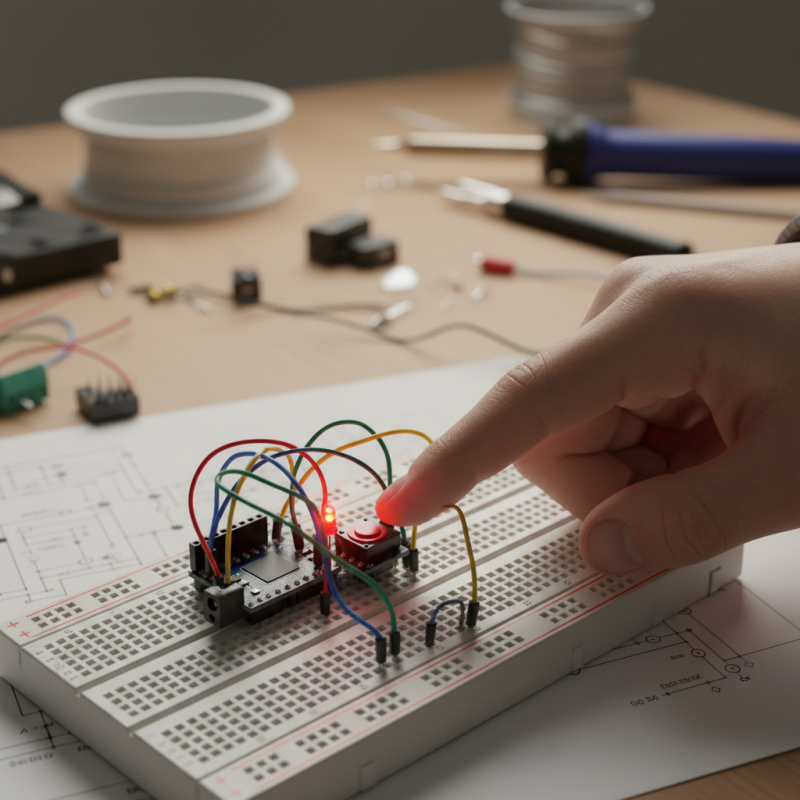
Understanding Momentary Push Buttons: Definition and Operation
Momentary push buttons are essential components in electronic projects. They are designed to complete a circuit only when pressed and return to their original state when released. This on-and-off functionality makes them perfect for various applications, such as controlling lights or triggering alarms. Understanding how these buttons operate can greatly enhance your project’s design.
These buttons typically have two states: normally open (NO) and normally closed (NC). In a normally open configuration, the circuit is off until you press the button. Conversely, a normally closed button sends power through the circuit until pressed, cutting off the signal. Selecting the right configuration is crucial for achieving your project's desired behavior. However, beginners often overlook this aspect.
Wiring momentary push buttons can be straightforward yet tricky. Proper connections are necessary to avoid short circuits or unresponsive buttons. Testing is vital. An unresponsive button can be frustrating. Referring to schematics can help, but hands-on experience is just as valuable. Experimenting with different setups reveals the potential and limitations of your designs. Don’t shy away from making mistakes; they are often the best teachers.
Types of Momentary Push Buttons and Their Applications
Momentary push buttons are essential in various projects. They come in multiple types, each with unique applications. Two common types include normally open (NO) and normally closed (NC) push buttons. NO buttons activate a circuit when pressed. In contrast, NC buttons disrupt the circuit when pressed. Understanding these distinctions is vital for project success.
Applications of momentary push buttons vary widely. NO buttons are ideal for starting machines or lights with a quick press. These are often found in consumer electronics and automotive systems. On the other hand, NC buttons can serve safety functions. For example, they may stop machinery in emergency situations. Their reliability in critical moments is invaluable.
Each type of push button requires careful integration. Project designers must consider their specific needs. Are you seeking a temporary activation or a safety measure? Testing the components is crucial. Sometimes, the button may feel different in practice than expected. Learning from these imperfections will lead to better design choices in the future.
How to Use a Momentary Push Button in Your Projects? - Types of Momentary Push Buttons and Their Applications
| Button Type |
Description |
Common Applications |
Operating Voltage |
| Standard Push Button |
A basic momentary switch that typically makes contact when pressed. |
Control panels, light switches, electronic projects |
5V - 24V |
| Tactile Push Button |
Small push button that gives tactile feedback when pressed. |
Keyboards, remote controls, small electronic devices |
3V - 12V |
| Rocker Switch |
Switches that rock back and forth to make or break a connection. |
Home appliances, automotive applications |
12V - 240V |
| Toggle Push Button |
Remains in an on/off state until pressed again. |
Light switches, electronic games |
6V - 24V |
Wiring a Momentary Push Button for Your Project
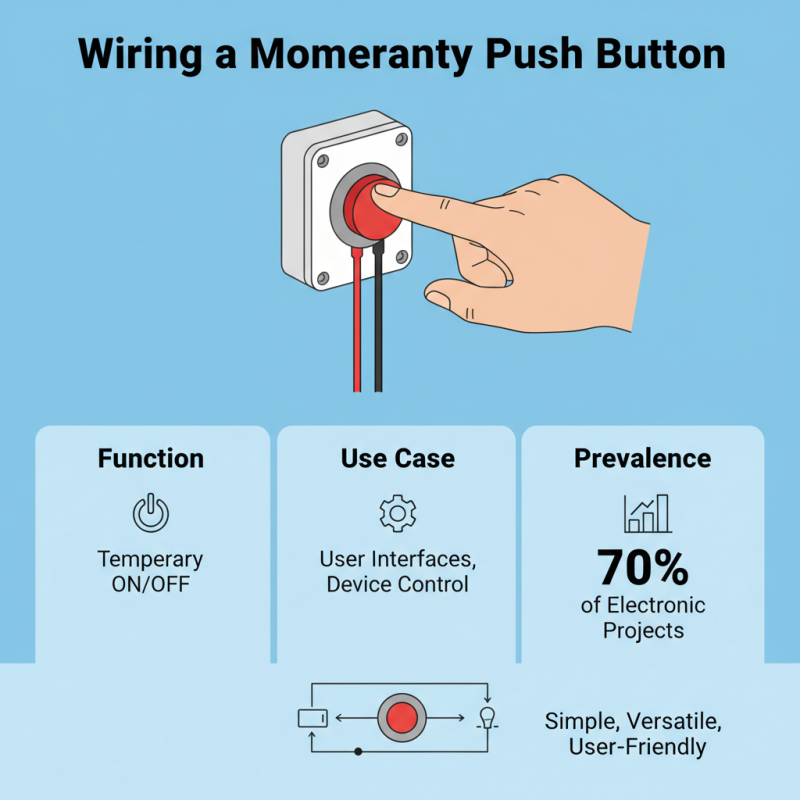
Wiring a momentary push button is a common task in many DIY projects and electronic applications. These buttons play a crucial role in user interfaces, providing control over various devices. According to industry reports, nearly 70% of electronic projects utilize some form of a momentary push button. These switches often act as a simple on/off interface, making them versatile and user-friendly.
To wire a momentary push button, start by identifying the two terminals on the button. Connect one terminal to a power source and the other to the circuit you wish to control. This setup allows the button to complete the circuit when pressed. Many users overlook the importance of grounding; it’s vital to ensure a stable operation. A lack of proper grounding can lead to erratic behavior or failures in the circuit.
While wiring can seem straightforward, mistakes happen. Sometimes the connections may be loose, causing intermittent operation. Regularly testing your connections with a multimeter can prevent these issues. Additionally, consult electrical schematics relevant to your project to ensure accuracy. Minor errors can lead to significant performance problems, emphasizing the need for careful and informed wiring practices.
Implementing a Momentary Push Button in Various Circuits
Incorporating a momentary push button into your circuits can enhance functionality. These buttons provide a temporary connection, ideal for triggering actions such as starting a motor or lighting an LED. The beauty of a momentary push button lies in its simplicity. You can use them in various projects, from basic DIY creations to complex electronic devices.
When using a momentary push button, consider the circuit design carefully. Ensure you understand the required voltage and current specifications. A light application might only need a slight press, while heavier loads demand more robust components. Wiring can often lead to mistakes; double-check connections to avoid potential short circuits. A pull-up or pull-down resistor may be necessary to maintain stable input signals.
There's also the challenge of button placement. Position the button for easy access while considering the ‘user experience’. Test different configurations to find what works best for your project. Sometimes, the initial design might feel clunky or inefficient; don’t hesitate to refine it. Experimentation and adjustment are crucial as you seek the perfect integration of a momentary push button in your projects.
Troubleshooting Common Issues with Momentary Push Buttons
Momentary push buttons are simple yet versatile components in many projects. They can sometimes act unexpectedly. Understanding common issues helps in troubleshooting effectively.
One problem is bouncing. When you press a button, it may rapidly open and close. This can create false signals. Using a debounce circuit can help. A capacitor or a small delay in code can stabilize the signal.
Another issue might be poor connections. Loose wires or corrosion can interfere with function. Always check your connections and ensure they are secure. Inspect for any visible damage on the button itself. Problems can stem from wear over time. Regular maintenance can prevent unexpected failures.
Be aware of power requirements. If the button is rated for low voltage, supplying higher voltage can damage it. This is a critical point for safety. Watch for any heat generation during operation. Adjustments may be necessary to avoid permanent damage.