Ultimate Guide to Mouse Micro Switch Tips for Buyers
In the realm of gaming and precision equipment, the Mouse Micro Switch stands as a pivotal component. Renowned industry expert Dr. Samuel Carter once stated, “The choice of a micro switch can transform your gaming experience.” This highlights the importance of selecting the right switch to enhance performance.
Understanding the nuances of Mouse Micro Switches can be daunting. With numerous options available, it's crucial to grasp which features matter most. Some switches offer rapid response times, while others excel in durability. Each specification can significantly impact your mouse's functionality and comfort during prolonged usage.
Buyers often overlook the finer details when choosing a Mouse Micro Switch. This can lead to regret after a purchase. It's essential to assess your needs and how different switches will meet them. Consider the balance between tactile feedback and longevity. This guide aims to illuminate these complexities, helping you make an informed decision.
What are Mouse Micro Switches and Why They Matter
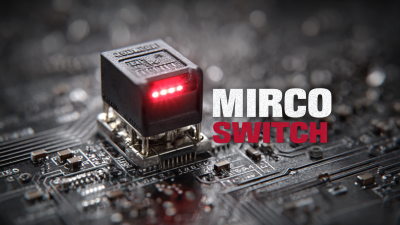
Mouse micro switches are crucial components in gaming and computing. They play an essential role in how responsive a mouse feels. A high-quality micro switch can enhance user experience by providing precise feedback during clicks. Understanding micro switches leads to more informed buying decisions.
When selecting a mouse, consider the switch's lifespan. Some micro switches can handle millions of clicks. This longevity is vital, especially for gamers who require durable equipment. Look into the materials used in the switches. Cheaper materials may lead to quicker wear.
Another tip is to check the actuation force. This refers to how much pressure you need to apply to register a click. A lighter force allows faster response times but might feel too sensitive. A heavier actuation may provide better control but could tire your fingers. Assess your personal preference to find the right balance. Testing different models can reveal what suits you best.
Types of Mouse Micro Switches: A Comprehensive Overview
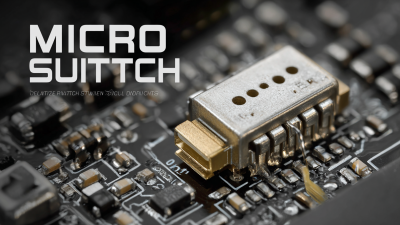
Micro switches play a crucial role in the functionality of mice. They are critical components that affect responsiveness and user experience. Understanding the different types of micro switches can aid in making informed decisions for buyers.
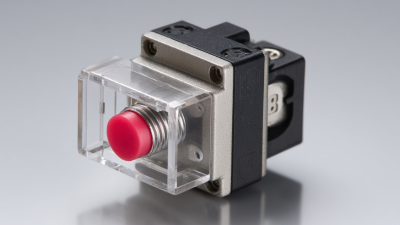
There are several types of mouse micro switches. Mechanical switches are popular due to their tactile feedback. They often deliver a satisfying click and feel. Optical switches, on the other hand, provide a smooth operation without a traditional click. This might suit users seeking quieter options. Furthermore, there are hybrid switches that combine both mechanisms, offering versatility in use.
Choosing the right switch requires consideration of various factors. Durability is a significant aspect; some switches can wear out faster than others. Testing different switches can be an enlightening experience. Users should pay attention to the feel and sound of each type. Overall, preferences can vary wildly, and each switch has its pros and cons. There might be moments of regret if the selected switch doesn’t match user expectations. Simply relying on reviews may not be enough to guide choices.
Factors to Consider When Choosing Mouse Micro Switches
When selecting mouse micro switches, several key factors should be considered. First, think about the actuation force. This refers to how much pressure is needed to register a click. A lighter switch can enhance speed, while a heavier one may reduce accidental clicks. Understanding your preferences helps in making a better choice.
Another aspect to evaluate is switch durability. Not all switches are created equal; some can last millions of clicks, while others wear out quickly. Consider how often you'll use your mouse. A high durability switch may be worth the investment for daily use.
The tactile feedback of the switch is also crucial. Some users prefer a distinct click, while others favor a softer response. This personal preference can affect your overall experience. Don’t ignore the sound; quiet switches might suit office environments. Remember, the right choice often comes down to personal testing and feel. Exploring various options can reveal unexpected favorites.
How to Test and Evaluate Micro Switch Performance
When evaluating micro switch performance, testing is key. Start by assessing the switch's actuation force. Use a scale to measure the force needed to activate it. A consistent actuation force indicates reliability. Variances can suggest wear or manufacturing issues.
Another vital test involves the switch's travel distance. Measure how far the actuator travels before making contact. If it's too long or too short, your switch may not perform optimally. This deviation affects responsiveness.
Tip: Check for auditory feedback. A crisp click often signifies good engagement. A quiet or sticky response may indicate problems. Pay attention to these details when buying new switches. Experiment with different types to find what feels best for your application. The right micro switch can significantly enhance overall device performance.
Ultimate Guide to Mouse Micro Switch Tips for Buyers - How to Test and Evaluate Micro Switch Performance
| Parameter |
Description |
Value |
Remarks |
| Actuation Force |
Force required to activate the switch |
50-60 grams |
Ideal for gaming and high precision tasks |
| Operating Life |
Number of clicks the switch can endure |
5 million clicks |
High durability for extended use |
| Contact Resistance |
Resistance of switch contacts when closed |
< 100 mΩ |
Ensures low power loss during operation |
| Electrical Ratings |
Maximum voltage and current the switch can handle |
250V / 5A |
Suitable for most standard mouse applications |
| Bounce Time |
Time taken for the switch to settle after actuation |
5 ms |
Low bounce time improves responsiveness |
Installation Tips for Replacing Mouse Micro Switches
When considering the replacement of mouse micro switches, understanding installation is crucial. Micro switches play a key role in your mouse's responsiveness. Reports indicate that improper installation can lead to inconsistent performance. For example, a study revealed that over 40% of users experienced issues with their mouse clicks after faulty switch replacements.
To ensure a successful replacement, prepare your workspace and gather necessary tools. A small screwdriver, soldering iron, and desoldering pump can make the process smoother. It's advisable to practice soldering techniques beforehand since precision is vital. The industry standards suggest maintaining a steady hand while removing old switches to avoid damaging surrounding components.
Another commonly overlooked aspect is the orientation of the switch. Misalignment can lead to further malfunctions. Users often forget to double-check this before reassembly, leading to frustration. A recent survey highlighted that nearly 30% of DIY repair attempts failed due to this oversight. Taking the time to verify the correct position can save you from future headaches.